


One Menu, More Ways to Play: The New UTS Play Game Menu for Family Entertainment Centers
October 12, 2026
October 12, 2026 at 09:42 AM
Explore the new UTS Play game menu for family entertainment centers, with nine visual styles, 26 interface languages and a flexible game grid.

One Menu, More Ways to Play: How the New UTS Play Interface Enhances Interactive Entertainment
Discover how the new UTS Play game menu helps family entertainment centers simplify game selection, create engaging visitor experiences, and manage interactive attractions more efficiently.
Why the Game Selection Experience Matters
In a family entertainment center, the visitor experience begins before the game itself.
Children approach an interactive attraction, explore the available activities, and decide what they want to play. At this moment, the interface becomes an important part of the entertainment experience.
A complicated menu can interrupt the excitement. Visitors may struggle to understand which games are available, how to select them, or what to do next. Staff may need to step in and explain the process.
A well-designed interface makes this journey easier. It helps children discover games, encourages independent interaction, and creates a smoother transition from choosing an activity to playing it.
With the release of its new interactive device menu, UTS Play introduces a unified game selection experience designed for different types of interactive entertainment equipment.
The new interface combines nine visual styles, support for 26 languages, flexible game catalogs, and additional capabilities for multiplayer participation, payments, and promotional content.
For family entertainment centers, this creates new opportunities to make interactive attractions easier to explore and manage.
One Familiar Interface Across Different Attractions
Modern family entertainment centers often combine several types of interactive equipment within the same venue.
Visitors might move from an interactive shooting range to a digital sandbox, try a ball-throwing game, or explore a creative activity where their drawings come to life.
Each attraction offers a different experience, but the process of choosing a game should remain intuitive.
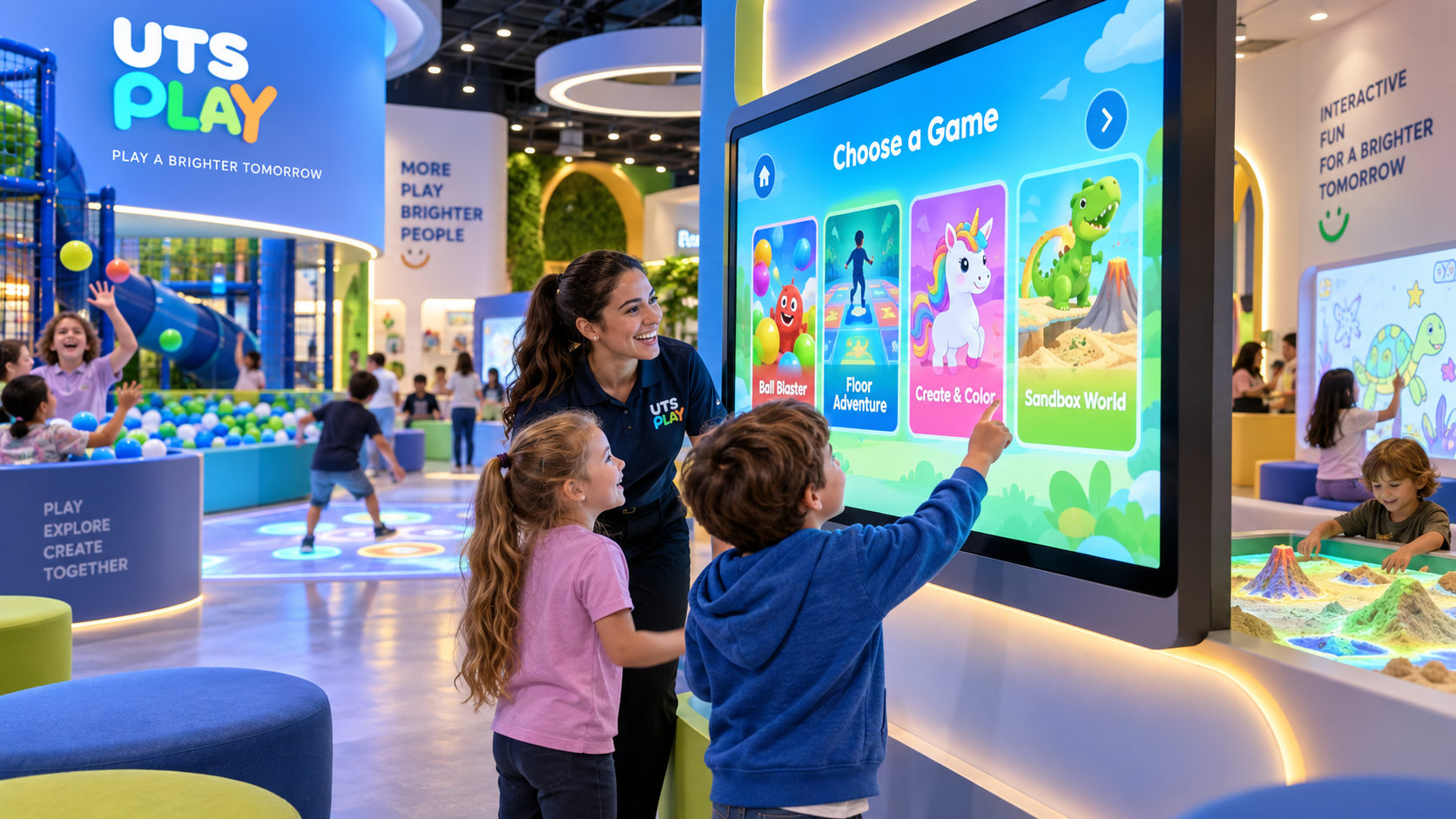
The new UTS Play menu introduces a universal game grid that adapts to different devices and screen sizes.
Games appear as visual cards with recognizable artwork. Large selection targets make it easier to interact using a touchscreen or the equipment's dedicated input hardware.
When a device has a large collection of games, the catalog automatically divides them into pages, making navigation more manageable.
Visitors can browse the available activities or use a random selection feature to discover something unexpected.
For entertainment center operators, this consistent approach can help reduce the amount of explanation required when visitors move between attractions.
Nine Visual Styles for Different Interactive Experiences
Although the navigation follows a common structure, the new menu does not look identical across every attraction.
UTS Play has developed nine visual presets, each designed around a particular type of interactive activity.
These include:
Astro Blaster: A futuristic interface for interactive shooting games, where visitors select activities by shooting at on-screen targets.
Bounce Arena: A sports-inspired interface for interactive ball games, with selection through ball throws.
Wonder Wand: A magical environment with glowing effects and sound cues, designed for wand-based interaction.
Living Colors: A creative interface for activities where children color, scan, and bring their drawings to life.
Paints and Brushes: A colorful studio-inspired environment where players select activities using a brush.
Sandscape: A nature-inspired interface for interactive sandboxes, featuring visual elements connected to landscapes and water.
Motion Floor: A menu designed for movement-based floor activities.
Play Table: A touchscreen-oriented interface for shared interactive table experiences.
Jumper: A visual preset designed for trampoline-based interactive entertainment.
Each preset changes elements such as backgrounds, game cards, prompts, visual effects, and sounds.
The result is a consistent navigation experience that still reflects the character of each attraction.
For example, children using Bounce Arena can select a game by throwing a ball, while visitors exploring Wonder Wand can choose their next adventure using a wand.
This makes game selection part of the interaction rather than a separate technical step.
Helping Visitors Discover Their Next Favorite Game
A large game library creates variety, but visitors need an easy way to understand their options.
The new UTS Play menu introduces a game preview screen that displays artwork and a description before the activity begins.
Players can explore the selected game, confirm their choice using a clearly visible Play control, or return to the catalog.
Once the game finishes, the menu returns, allowing visitors to choose another experience.
The interface also protects against repeated inputs accidentally launching multiple games.
These details are particularly relevant in busy family entertainment centers, where children may interact with equipment quickly and enthusiastically.
An accessible game catalog can also encourage visitors to explore activities they might otherwise overlook.
Instead of repeatedly choosing the first familiar game, children can browse different experiences or let the menu make a random selection.
For venues with multiple game scenarios, this provides a practical way to make more of the available content visible to visitors.
Bringing Friends and Families Together with PlayMesh
Interactive entertainment is often a shared experience.
Children visit entertainment centers with friends, siblings, classmates, or parents. Activities that allow several participants to play together can become an important part of a venue's offering.
The new UTS Play menu includes integration with PlayMesh, allowing players to join a group before starting a compatible game.
Participants connect using their smartphones by scanning a QR code or entering a connection code.
The interface supports groups of up to four players and displays connected participants and available positions.
Once the group has been created, compatible games can reuse the same player group.
For entertainment centers, this functionality can support shared activities and multiplayer experiences without requiring participants to reconnect for every compatible game.
It is particularly relevant for group visits, family activities, and interactive birthday party programs.
PlayMesh functionality requires the module to be enabled and supported by the selected game.
Flexible Options for Free Play and Paid Attractions
Family entertainment centers use different business models.
Some include interactive equipment in the general admission price. Others operate individual paid attractions or use tokens to control access to games.
The new UTS Play menu accommodates both free-play and token-based experiences through NetPay integration.
Visitors can explore the game catalog and read descriptions before making a payment.
When token payments are enabled, the interface displays the required price and available balance, making the conditions for starting a game clear.
Tokens are charged after a successful launch. If the game fails to start, the reserved tokens are returned.
Unused credit is also preserved when the menu restarts.
For operators, this provides flexibility when integrating interactive equipment into different admission and payment models.
A venue can offer free access as part of a larger entertainment package or use token-based access for individual experiences.
New Opportunities for Promotions and Advertising
Interactive entertainment equipment can also become an additional communication channel within a venue.
The new UTS Play menu supports advertising integration through the UTS Play Media Network.
Promotional content can appear as a clearly marked sponsored card within the game catalog.
Visitors can open the promotional content to view images, carousels, or video presentations. The system also supports QR-based coupons.
For example, a family entertainment center could use this type of placement to introduce visitors to a special offer, highlight an upcoming event, or promote a partner's product.
The system records interaction events, including promotional displays, opens, and coupon views.
When no advertisement is available, the corresponding space returns to the game catalog.
This functionality creates opportunities for venues to explore promotional partnerships and additional revenue models while keeping the game selection interface organized.
A Multilingual Experience for International Visitors
Family entertainment centers in tourist destinations and multilingual cities often welcome visitors who speak different languages.
The new UTS Play menu supports 26 interface languages, including all 24 official languages of the European Union.
The menu automatically follows the device's configured language.
Game titles and descriptions use translations provided by the launcher, with a fallback language available when a translation is missing.
For entertainment centers serving international families, multilingual navigation can make interactive attractions more accessible.
Children and parents can better understand the available activities and navigate the interface in a familiar language.
Easier Content Management for Entertainment Center Operators
An effective interactive attraction needs to work well not only for visitors but also for the people managing it.
The new UTS Play menu includes settings for configuring visual styles, language preferences, and game catalogs.
Operators can select appropriate presets and manage available content without restarting the menu.
Compatibility tags help ensure that the catalog displays games relevant to the particular device.
The settings interface also provides access to connection information and diagnostic controls.
In addition, the preset service supports custom game collections and a web-based management interface.
This flexibility is useful for venues that want to organize their interactive content around different attractions or visitor experiences.
For example, an entertainment center could create a collection of suitable games for a particular interactive station or adjust the available content to match its entertainment program.
The exact game selection depends on the content installed on each device.
Making Every Interaction Part of the Entertainment Experience
Interactive attractions are most effective when technology feels natural to the visitor.
Children should be able to understand what to do, explore their options, and move into the activity without unnecessary interruptions.
The new UTS Play menu brings together visual navigation, device-specific interaction, multilingual support, multiplayer connectivity, and flexible operating options in one interface.
For family entertainment centers, the benefits extend beyond the appearance of the screen.
A consistent game selection experience can help visitors navigate different attractions, discover more activities, and participate more independently.
At the same time, configurable catalogs, payment integration, and promotional capabilities give operators additional tools to manage their interactive entertainment offering.
One menu. Nine visual styles. More ways to play.
Explore Interactive Entertainment Solutions from UTS Play
Whether you are developing a new family entertainment center or expanding an existing venue, UTS Play offers interactive solutions designed for different types of play and visitor experiences.
Discover how UTS Play interactive equipment and its new game menu can become part of your entertainment offering.