


How Family Entertainment Centers Can Generate Additional Revenue from Interactive Play Equipment
October 12, 2026
October 12, 2026 at 10:17 AM
Three practical ways to put compatible UTS interactive equipment to work: promote your venue, arrange local advertising and introduce visitors to more activities.
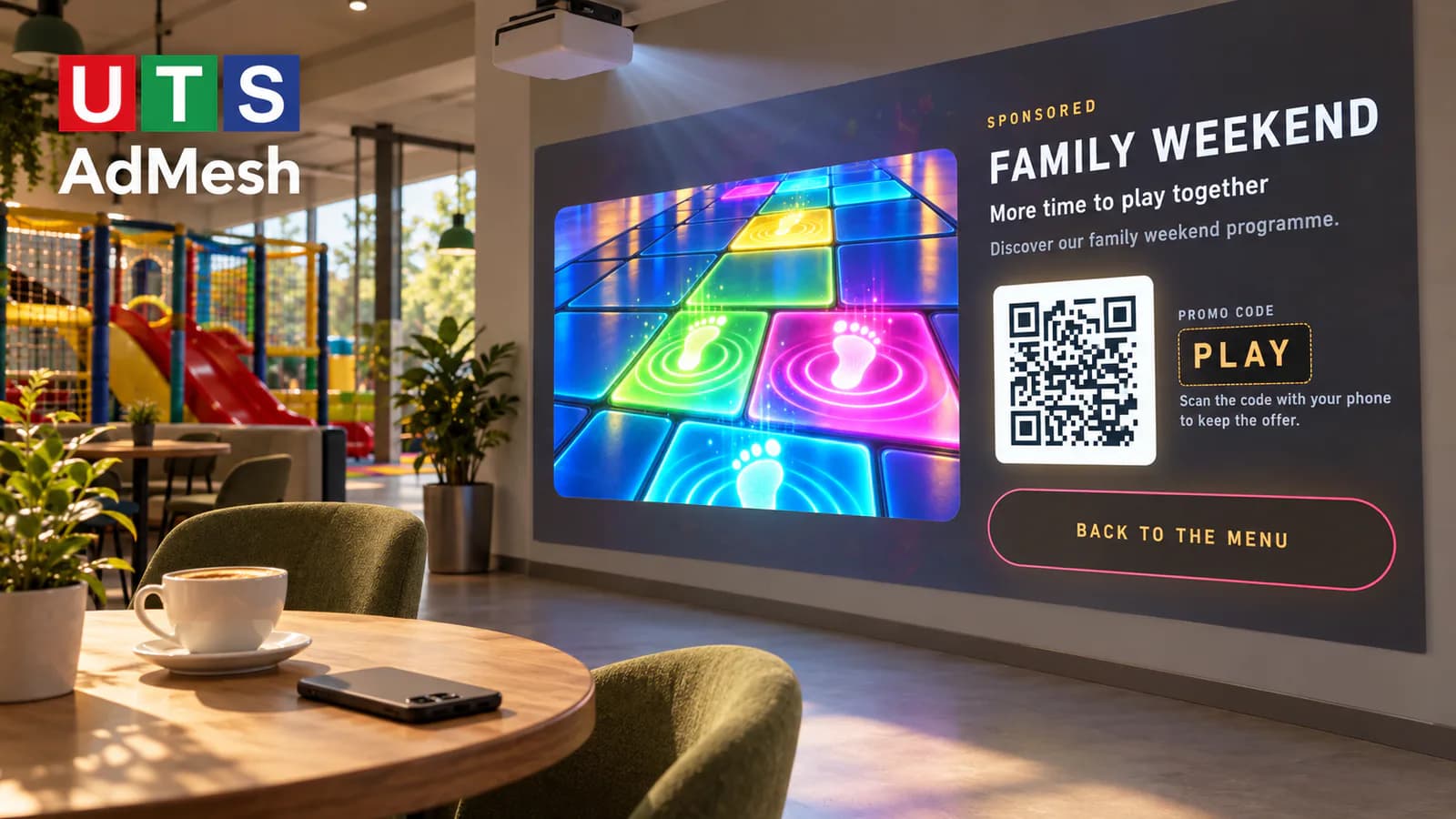
Family entertainment centers invest in interactive attractions to create memorable experiences, attract families and encourage repeat visits. With UTS AdMesh, compatible installations can also display promotional content while continuing to serve their primary purpose: entertainment.
The business opportunity takes two forms. Paid placements arranged with a local partner can produce advertising revenue. Your own offers can support bookings, visits and sales within your venue; displaying them does not by itself create third-party advertising income.
AdMesh adds placements to supported applications, including a sponsored card in the Astro Blaster menu. Visitors can discover an offer alongside the games, open it and continue to a linked page on their phone.
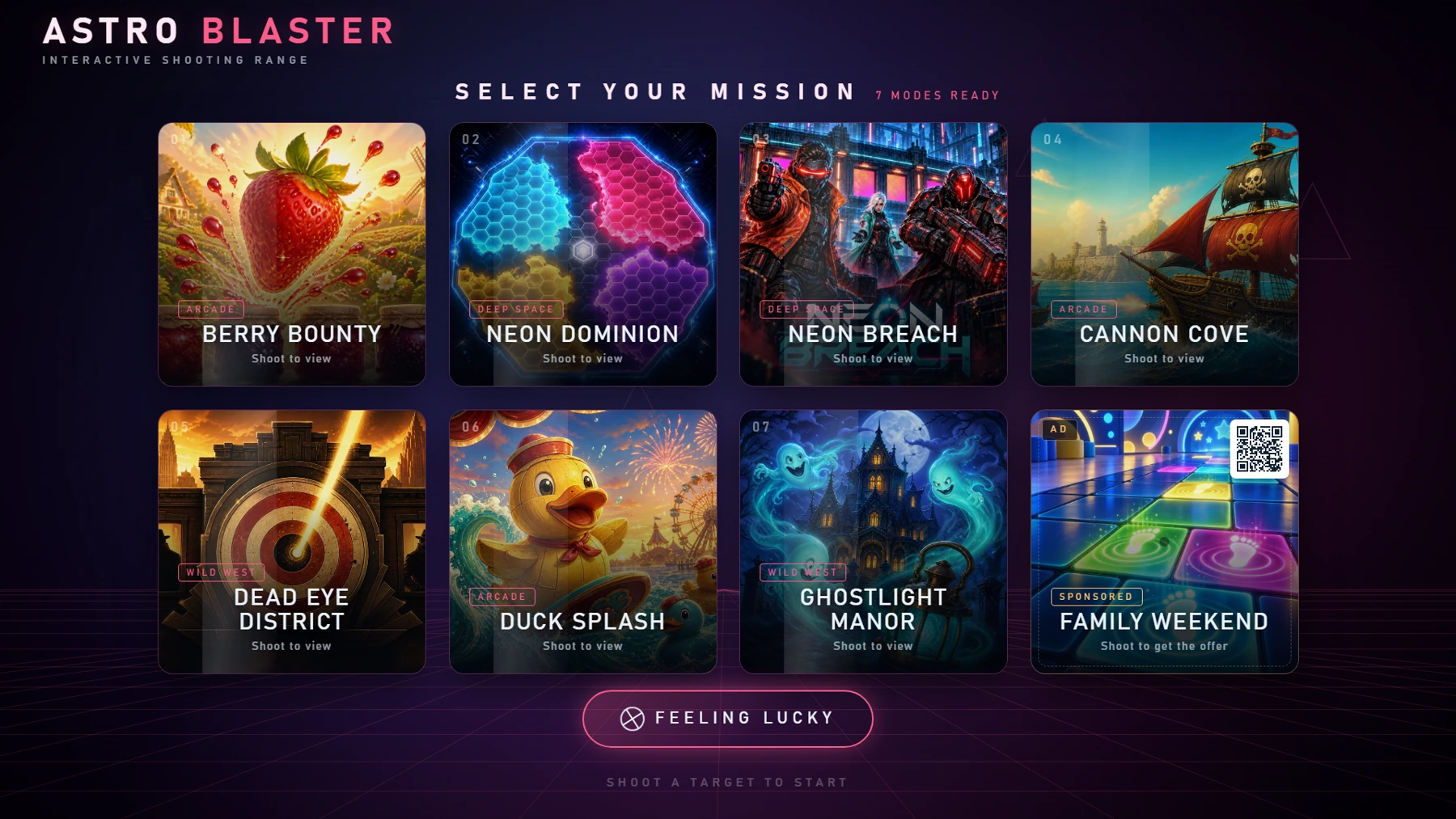
1. Promote Your Own Entertainment Center
Start with an offer you already sell. A birthday package, themed weekend or holiday programme gives parents a specific reason to find out more about your venue.
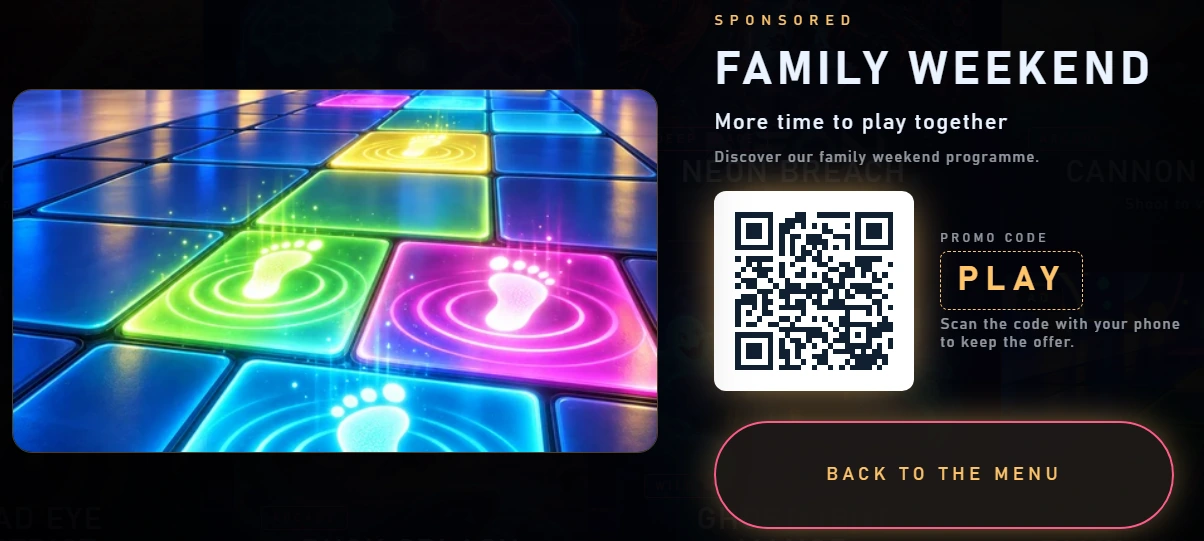
For example, a center could use a menu placement to introduce an upcoming family event. The expanded offer can explain the idea and provide a QR code leading to the event information or booking page. Keep the message focused on one offer and one next step.
This is a way to make your existing services more visible during a visit. Evaluate enquiries or bookings on your own website and through your booking process, rather than treating an ad display as a completed sale.
2. Work Directly with Local Advertisers
A nearby café, children's shop or family service may want to introduce an offer to visitors of your entertainment center. You can arrange the placement directly with that business and use AdMesh to deliver the agreed content on compatible installations.
Consider a café in the same shopping mall. Its family lunch offer could appear while visitors choose a game, with a QR leading to the café's promotional page. The café supplies an offer; the venue supplies an agreed advertising opportunity.
Agree the placement before launch
- Which offer and creative will be shown.
- Which installations, placements and campaign dates are included.
- What the visitor should do next.
- The price, payment terms and reporting you will provide.
AdMesh provides delivery and reporting. The venue and advertiser arrange the commercial relationship, and actual income depends on demand and the terms they agree.
3. Introduce More Activities and Encourage Repeat Visits
Visitors may know the attraction in front of them without knowing everything your center offers. A promotion can introduce another activity, an upcoming programme or a reason to come back.
Show what the experience looks like using your own game images and a clear description. Link to the relevant information or booking page so families can explore the activity after leaving the installation.
For a center operating several attractions, this makes each supported placement part of a wider visitor communication plan. Use content that matches the activities actually available at your venue.
Choose a Placement That Fits the Visit
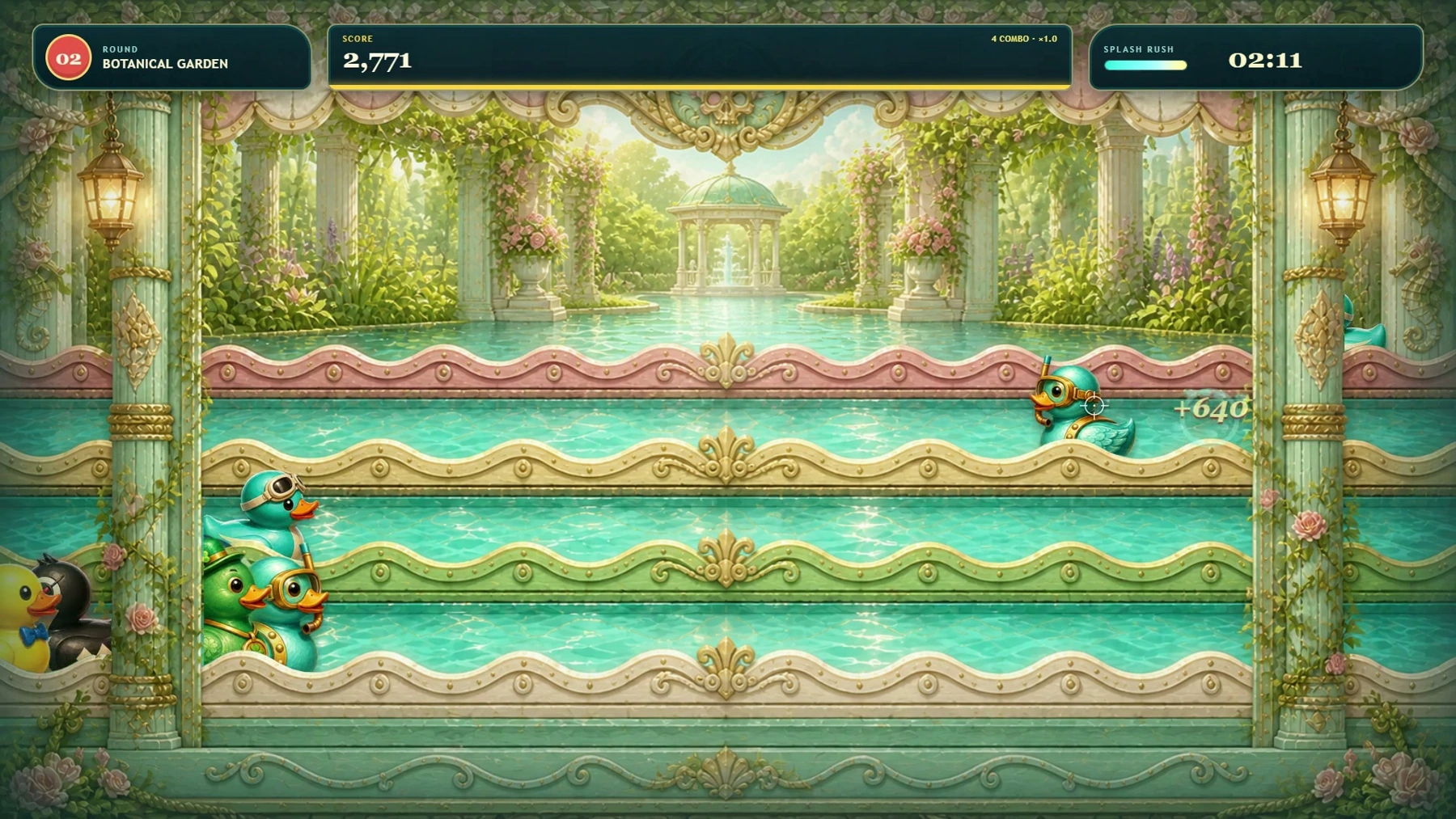
Before promising a placement to an advertiser, confirm what the installed software supports. An idle screen can carry a message between sessions; a sponsored menu card can reach visitors choosing their next game. In-game areas and results-screen offers require their own application integration.
In the demonstrated Astro Blaster menu, the expanded offer closes when a game starts. The available placements and formats depend on the installation, rather than simply on whether it is a wall, floor or table.
For several connected displays, the AdMesh workspace can organize campaigns across selected devices or groups. Previously downloaded advertising remains available during a temporary internet interruption; new content and reporting need synchronization. Visitors also need internet access to open an online QR destination.
Measure Delivery, Response and Business Outcomes Separately
Campaign reporting can support a useful conversation with your advertising partner:
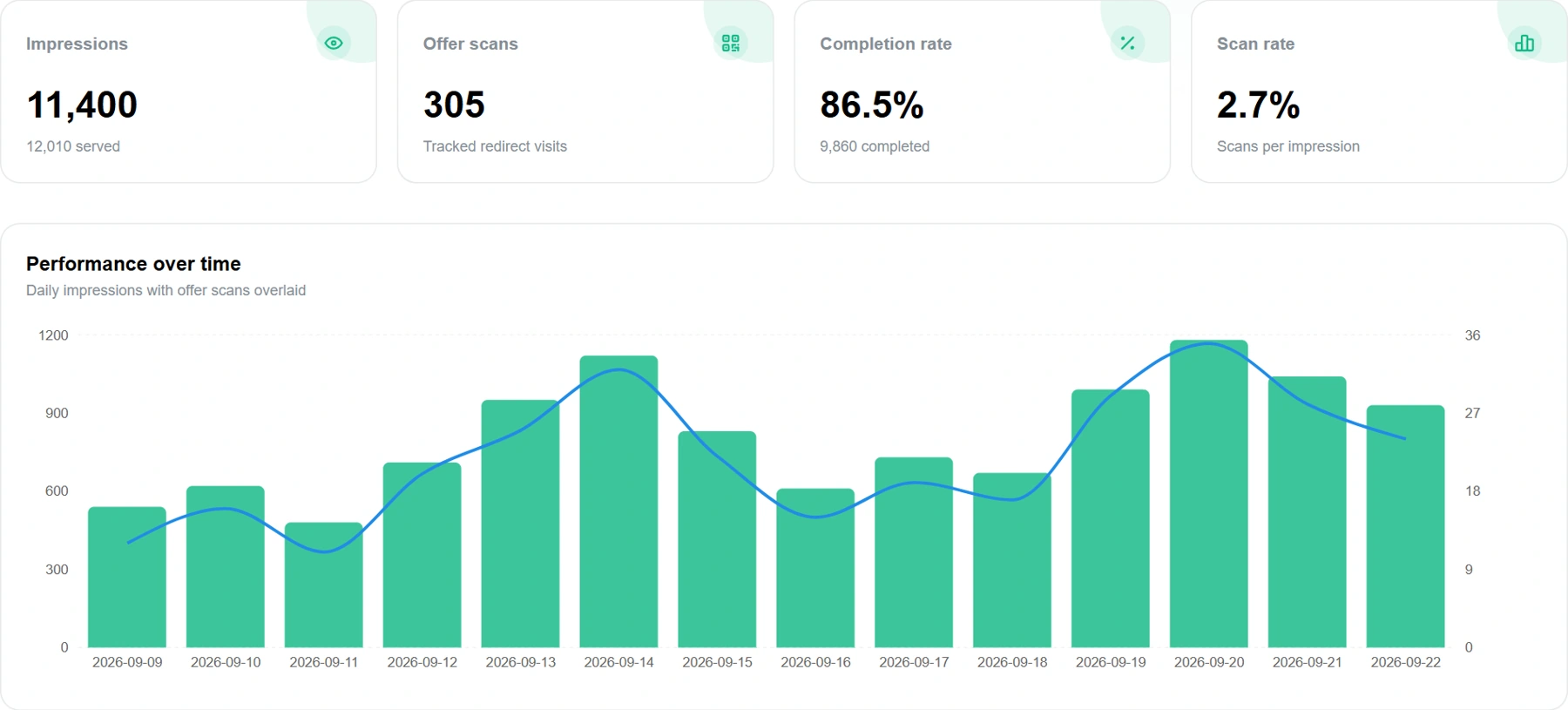
- Impressions confirm that the device displayed an advertisement.
- QR visits record requests through an AdMesh tracking link.
- Scan rate relates those tracked visits to impressions.
A locally configured QR may instead open the destination directly, so AdMesh does not track that scan. An impression is not a unique viewer, and a tracked visit is not a booking or purchase. Measure those outcomes through the advertiser's website or your own booking process.
Start with One Pilot Campaign
- Choose an objective. Promote one service or agree one local partnership.
- Confirm compatibility. Identify the devices and placements your setup supports.
- Prepare the offer. Choose a creative, destination page and campaign dates.
- Agree how to review it. Separate delivery and tracked QR response from actual enquiries or sales.
- Review before expanding. Use the first placement to decide what to adjust or repeat.
About the shared network. Shared AdMesh network advertising is not yet open to device owners. This article covers your own promotions and local placements arranged directly with a partner.
Turn Existing Attractions into New Business Opportunities
Compatible interactive installations can become an additional communication and advertising channel. A focused first campaign gives your team and a local partner a practical way to assess the opportunity at your particular venue.
Discuss a pilot for your venue
Tell us which UTS installations you operate and what you would like to promote. We can help confirm supported placements and discuss the setup for a first campaign.